
If you have multiple file you want to rename and append with the current date, put the files into a folder.
Run PowerShell as Admin:
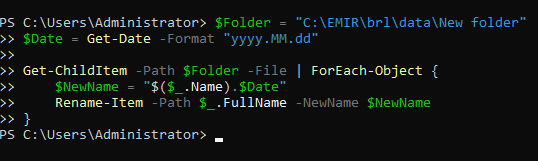
$Folder = "C:\Path\To\Folder"
$Date = Get-Date -Format "yyyy.MM.dd"

Get-ChildItem -Path $Folder -File | ForEach-Object {
    $NewName = "$($_.Name).$Date"
    Rename-Item -Path $_.FullName -NewName $NewName
}
Replace C:\Path\To\Folder with the folder path you created.
For example:
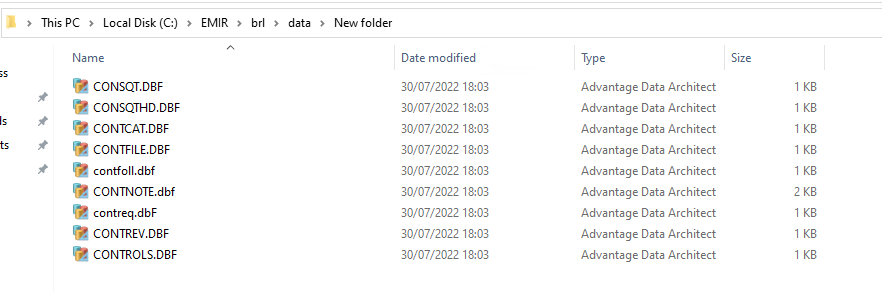
Folder Path: "C:\EMIR\brl\data\New folder"
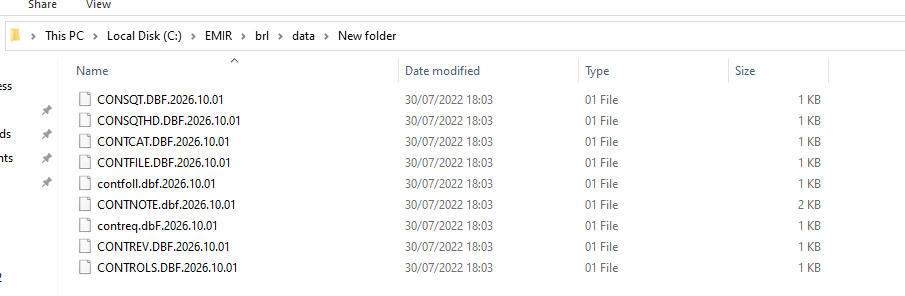
Then you can cut and paste the files back to the original folder.