
TABLE OF CONTENTS
This is useful when making large changes on the server, e.g. upgrading the OS.
Creating Snapshot
- In the VDC portal, search for the relevant server
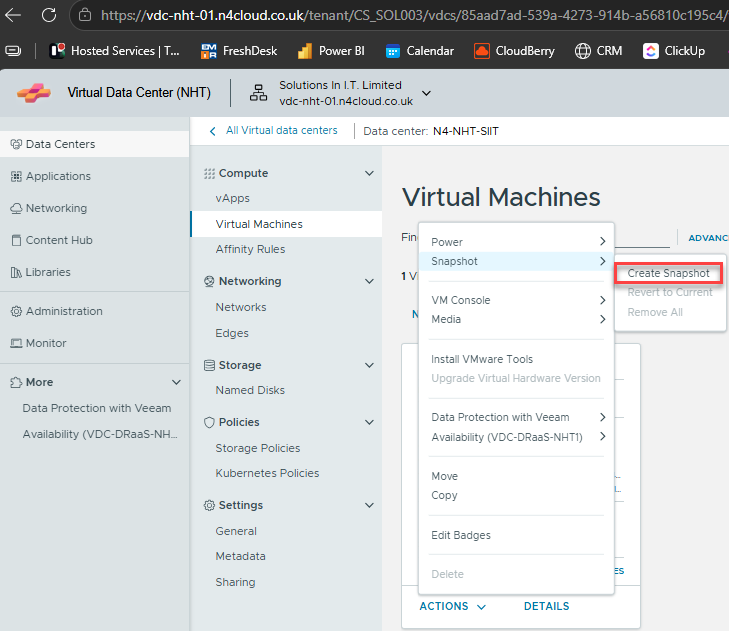
- Click Actions | Snapshot | Create Snapshot:
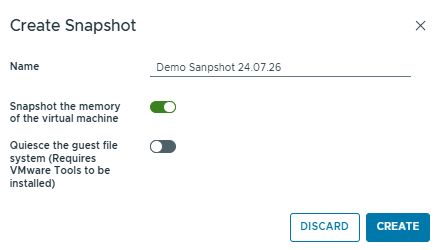
- Name the snapshot, keep the default options ticked, click Create
- It'll take a few seconds for anything to happen, then the progress will show on the bar at the bottom of the screen:

Restoring Snapshot
- MAKE SURE YOU ARE 100% SURE THIS IS NECESSARY AS IT IS PERMANENT!!!!
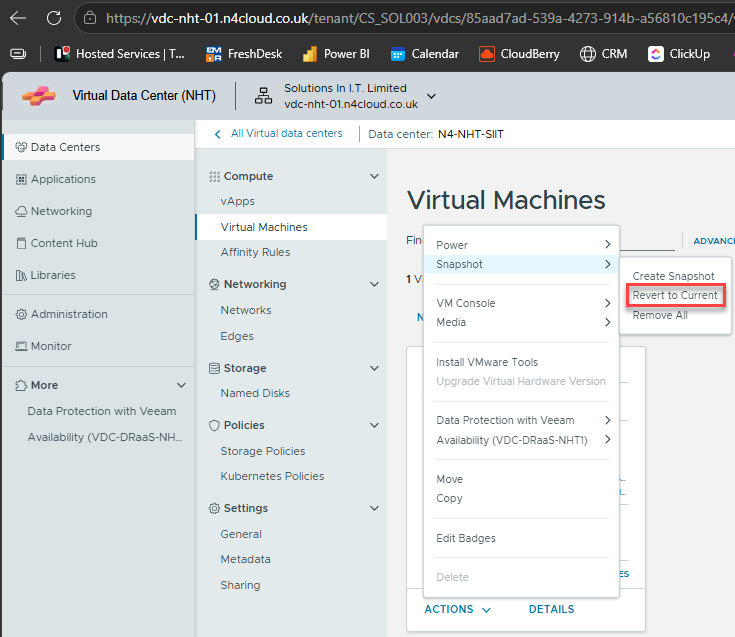
- Click Actions | Snapshot | Revert to Current:
- Again, the status will be displayed at the bottom of the screen
- Remove the snapshot via Actions | Snapshot | Remove All